



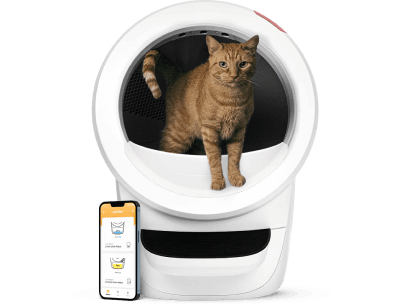
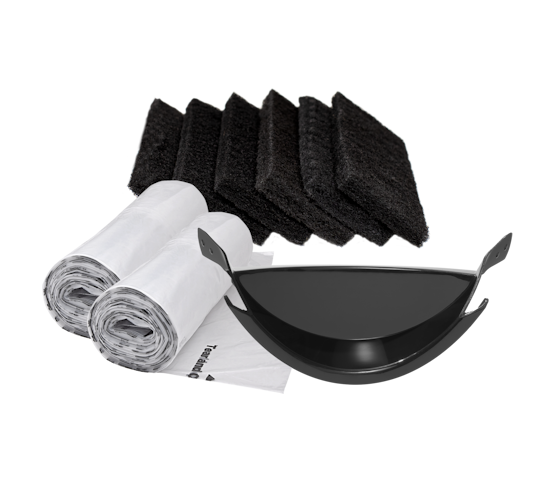





Automatic litter boxes such as the Litter-Robot are designed to simplify daily litter maintenance by automating waste removal and reducing odours. While these systems provide convenience and improved hygiene, they still require regular maintenance and occasional troubleshooting to function properly.
Like any mechanical device, automatic litter boxes can develop issues over time due to wear, incorrect litter usage, sensor problems, environmental conditions, or mechanical blockages. Recognising early warning signs can help prevent larger malfunctions and reduce unnecessary repair costs.
This comprehensive guide explains the most common signs of automatic litter box malfunction, how to identify specific issues, essential maintenance routines, and when professional support may be required.
Why Early Detection of Litter Box Problems Matters
Automatic litter boxes rely on sensors, motors, power systems, and moving components working together precisely. Even small issues can gradually affect overall performance.
Detecting faults early helps:
-
Prevent complete system failure
-
Reduce unpleasant odours
-
Maintain a hygienic environment
-
Improve your cat’s comfort
-
Extend the lifespan of the unit
-
Avoid costly repairs
Cats are also highly sensitive to cleanliness and environmental changes. If the litter box malfunctions, your cat may avoid using it altogether.
Common Signs Your Automatic Litter Box Is Malfunctioning
Several symptoms may indicate your automatic litter box is not functioning correctly.
Common Warning Signs Include:
-
The cleaning cycle does not start
-
The unit stops mid-cycle
-
Persistent error lights appear
-
Grinding or clicking noises occur
-
Waste remains inside the litter bed
-
The waste drawer indicator becomes inaccurate
-
Strong odours develop despite cleaning
-
Your cat suddenly avoids the litter box
-
Sensors stop responding properly
Understanding these symptoms helps identify the source of the issue more quickly.
Litter Box Not Cycling Properly
One of the most common problems is a litter box that fails to complete its cleaning cycle.
Possible Causes
-
Power supply interruptions
-
Sensor obstructions
-
Mechanical jams
-
Overfilled waste drawer
-
Improper litter type
-
Internal motor resistance
Troubleshooting Steps
Check the Power Supply
Ensure the unit is securely plugged in and receiving power.
Perform a System Restart
Turn the unit off, unplug it for 30 seconds, then reconnect and restart it.
Inspect for Blockages
Check inside the globe or sifting mechanism for hardened litter clumps or foreign objects.
Verify Drawer Placement
An improperly inserted waste drawer may prevent cycling.
If the issue continues after these checks, the motor or sensors may require professional inspection.
Waste Drawer Full Indicator Problems
A faulty drawer-full indicator can lead to overflow and hygiene problems.
Signs of Indicator Malfunction
-
Drawer-full light remains on when empty
-
The unit stops cycling despite available space
-
False notifications appear repeatedly
Common Causes
-
Dirty sensors
-
Incorrect liner installation
-
Excess dust buildup
-
Sensor obstruction
-
Misaligned waste drawer
How to Fix It
-
Remove and reseat the waste drawer
-
Clean sensor areas gently with a dry cloth
-
Ensure liners are fitted correctly
-
Remove excess litter dust
Regular sensor cleaning is essential for accurate readings.
Persistent Odours Despite Cleaning
Strong odours often indicate maintenance or airflow issues.
Possible Reasons for Lingering Smells
-
Waste drawer not emptied frequently enough
-
Carbon filter saturation
-
Incorrect litter type
-
Waste buildup beneath components
-
Excess moisture inside the unit
Odour Reduction Tips
-
Use unscented clumping litter
-
Replace filters regularly
-
Empty the waste drawer frequently
-
Perform weekly deep cleaning
-
Ensure proper room ventilation
Poor odour control may also indicate incomplete cleaning cycles caused by sensor or mechanical faults.
Unusual Noises During Operation
Automatic litter boxes should operate relatively quietly.
Sounds That May Indicate Problems
|
Sound |
Possible Cause |
|
Grinding |
Debris in moving parts |
|
Clicking |
Mechanical obstruction |
|
Loud motor humming |
Motor strain |
|
Rattling |
Loose internal components |
|
Sudden stopping noises |
Jammed mechanism |
What to Do
-
Turn off the unit immediately
-
Inspect for stuck litter clumps
-
Check moving components carefully
-
Remove visible debris
-
Restart the system
Persistent noise usually indicates mechanical wear requiring further inspection.
Sensor Malfunctions and Error Lights
Sensors are critical for detecting cat usage, waste levels, and cleaning cycles.
Signs of Sensor Problems
-
Random cycling
-
Failure to detect usage
-
Repeated error lights
-
Incorrect drawer-full alerts
-
Interrupted cleaning cycles
Causes of Sensor Failure
-
Dust accumulation
-
Dirty sensor lenses
-
Excess humidity
-
Incorrect litter type
-
Sensor misalignment
How to Maintain Sensors
-
Clean sensors weekly
-
Use a soft dry cloth only
-
Avoid excessive moisture
-
Keep litter levels within recommendations
Many minor sensor faults resolve after proper cleaning and recalibration.
Understanding Litter-Robot Error Codes
Modern automatic litter boxes often use LED indicators or app notifications to display error codes.
Common Error Categories
|
Error Type |
Meaning |
|
Drawer Full |
Waste drawer needs emptying |
|
Bonnet Removed |
Unit assembly issue |
|
Motor Fault |
Mechanical resistance detected |
|
Pinch Error |
Obstruction detected |
|
Sensor Fault |
Sensor cleaning or replacement needed |
|
Power Error |
Electrical interruption |
Consulting the manufacturer’s manual helps decode specific error sequences accurately.
Mechanical Blockages and Internal Jams
Mechanical jams are among the most frequent causes of malfunction.
Common Sources of Blockages
-
Hardened litter clumps
-
Excess litter buildup
-
Foreign objects
-
Incorrect assembly
-
Overfilled waste drawer
Preventing Mechanical Problems
-
Use recommended litter only
-
Avoid overfilling the globe
-
Remove debris promptly
-
Inspect moving parts regularly
-
Perform scheduled deep cleaning
Routine maintenance dramatically reduces the likelihood of jams.
Cat Behaviour as a Warning Sign
Your cat’s behaviour can often reveal litter box issues before visible faults appear.
Behavioural Warning Signs
-
Avoiding the litter box
-
Hesitating before entering
-
Urinating outside the box
-
Frequent incomplete visits
-
Anxiety near the unit
Possible Reasons
-
Excess noise during cycling
-
Strong odours
-
Dirty litter conditions
-
Mechanical malfunctions
-
Stress from sudden movement
Cats are highly sensitive to changes in their environment, making behavioural observation an important part of troubleshooting.
Best Litter Types for Automatic Litter Boxes
Litter choice directly affects sensor accuracy and mechanical reliability.
Recommended Litter Features
-
Unscented
-
Clumping
-
Low-dust
-
Fine texture
-
Moisture absorbent
Avoid These Litter Types
-
Silica crystal litter
-
Non-clumping litter
-
Excessively dusty litter
-
Large pellet-style litter
-
Strongly scented products
Incorrect litter may clog sensors and interfere with cleaning cycles.
Essential Maintenance Practices
Consistent maintenance is the best way to prevent malfunctions.
Recommended Maintenance Schedule
|
Task |
Frequency |
|
Remove waste |
Daily |
|
Check sensors |
Weekly |
|
Wipe internal surfaces |
Weekly |
|
Replace litter fully |
Every 1–2 weeks |
|
Deep-clean components |
Monthly |
|
Inspect moving parts |
Monthly |
Routine care extends the lifespan of the unit and improves reliability.
How to Perform a Proper System Reset
Many temporary faults can be resolved through a full reset.
Reset Procedure
1. Turn Off the Unit
Switch off the power completely.
2. Unplug the Device
Disconnect power for approximately 30 seconds.
3. Reconnect and Restart
Plug the unit back in and power it on.
4. Allow a Full Cleaning Cycle
Wait for the system to complete a full cycle before use.
This process often recalibrates sensors and clears temporary errors.
When to Contact Professional Support
Some issues require expert diagnosis or replacement parts.
Seek Professional Assistance If:
-
Error codes persist repeatedly
-
The motor stops functioning
-
Electrical problems occur
-
Sensors fail after cleaning
-
Mechanical grinding continues
-
The unit fails to power on
-
Your cat completely avoids the litter box
Professional support helps prevent further damage and ensures safe operation.
Australian Support for Litter-Robot Owners
Australian customers seeking assistance with automatic litter boxes can contact:
Cat Evolution
-
Phone: 1300 350 635
-
Email: sales@catevolution.com.au
-
Location: Padstow, NSW 2211, Australia
They provide support, troubleshooting guidance, replacement parts, and product assistance for Litter-Robot owners.
Tips to Extend the Lifespan of Your Automatic Litter Box
Long-Term Care Recommendations
-
Use only compatible clumping litter
-
Keep sensors clean and dry
-
Replace liners regularly
-
Avoid overloading the waste drawer
-
Clean moving components routinely
-
Monitor unusual noises early
-
Keep the unit on a level surface
Preventative maintenance significantly reduces the likelihood of major repairs.
Conclusion
Automatic litter boxes offer significant convenience, but they still require regular care and monitoring to maintain reliable performance. Recognising early warning signs such as interrupted cleaning cycles, sensor errors, unusual noises, persistent odours, or behavioural changes in your cat can help prevent more serious malfunctions.
Routine cleaning, proper litter selection, regular sensor maintenance, and prompt troubleshooting are essential for extending the lifespan of your automatic litter box and maintaining a hygienic environment for your cat. When issues persist despite basic troubleshooting, professional support can help restore safe and effective operation.
Frequently Asked Questions
This usually indicates a sensor issue, mechanical obstruction, or motor resistance. Cleaning sensors and checking for jams often resolves the problem.
Unscented clumping litter with low dust content is generally recommended for proper sensor function and effective waste separation.
Grinding sounds often indicate litter buildup, debris inside moving parts, or motor strain caused by mechanical resistance.
Daily waste removal and weekly cleaning are recommended, along with monthly deep cleaning for optimal performance.
Yes. Dust, litter particles, and debris can interfere with sensor readings and trigger inaccurate alerts or interrupted cycles.
Cats may avoid the box due to odours, noise, mechanical malfunctions, dirty conditions, or stress caused by environmental changes.
Turn the unit off, unplug it for 30 seconds, reconnect power, and allow a full cleaning cycle to complete.
You should contact professional support if the unit experiences persistent error codes, motor failure, electrical issues, or repeated mechanical malfunctions after troubleshooting.