



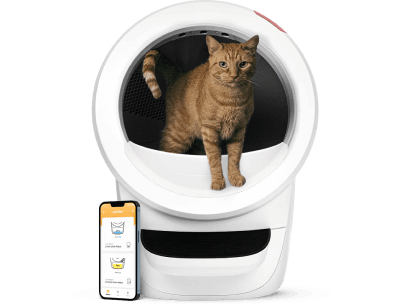





This guide is for Litter-Robot 4 owners. If your unit shows a pinch-detected, obstruction or related sensor warning, use the checks below to identify the likely cause and inspect or clean the relevant area before considering replacement parts. If you use Litter-Robot 3, use the separate LR3 pinch-sensor guide.
Using Litter-Robot 3? See the LR3 pinch-sensor guide.
What does a pinch detected warning mean?
If the pinch detectors have an issue, either activation or touchpoint disruption, the cycle will stop and the light bar will display a fast ping pong flashing yellow light bar, indicating a fault with the pinch detectors.
Activation typically has the cycle stop, and reverse for five seconds. After a two-second pause, the cycle will attempt to continue. After three attempts, it will remain in its current position until it is powered off/on or the obstruction is cleared.
The app will report pinch error or fault detected. Pinch detector fault information video.
Note there can be different light combinations for a pinch detector issue, we are only reviewing fast flashing yellow herein.
First safe checks
- Check the dump area for anything that has pressed on the flexible cover, such as a paw, tail or piled-up waste, and clear it.
- Empty the waste drawer if it is over full. Cycling through piled-up waste can spread soiled litter into the pinch detector area.
- Power the unit off and on once the area is clear.
- If the warning returns, inspect and clean the touchpoints using the steps below.
What are the Litter-Robot 4 pinch detectors?
Just like the Litter-Robot 3, the Litter-Robot 4 is equipped with pinch detectors that form a part of the safety system in place to keep your cats safe.
The pinch detectors in the Litter-Robot 4 are no longer mechanical with metal bars (as they are in the Litter-Robot 3), but are touch point sensors that click on contact for easy testing.

Where is the Litter-Robot 4 pinch sensor located?
The pinch detectors are located on the left and right side of dump chute in the base top. They are visible (with the bonnet and globe removed) from the top as an odd stuck out shelf.

The pinch detectors and their operation can also be reviewed from the underside, looking into the base cavity and up to the ceiling.

The recess is formed by the base and a flexible plastic cover which has only 2 points of attachment to the base body, but forms part of the base and is not removable.

ALERT: DO NOT PULL ON THE PLASTIC COVER, which is delicate by design, and meant to be pushed on gently. If this cover is broken, a new base will need to be purchased (no warranty), so do take care. Contact our team if you need help with a replacement base.
What do the pinch detectors do?
Your Litter-Robot 4 is equipped with an Anti-Pinch safety feature that is the ultimate failsafe for the appliance. It is the reason why the Litter-Robot has such an awesome safety record of more than 1 million sold with no cat accidents.
The pinch detectors are essentially a circuit breaker.
Pressure on the flexible cover from something in the dump area as the globe cycles in either direction opens the contact between the pinch detectors.
The cycle stops, and the motor is programmed to reverse 2 rotations to release whatever activated the safety feature such as an inquisitive cat paw or tail.
An easy test for peace of mind is to put your hand into the globe and through the dump hole as it cycles and push on the cover to see what happens - no trapped fingers in a Litter-Robot (speaking from experience having tested it personally).
Why does a pinch detected fault happen?
The pinch detectors are located well above the waste drawer and would not normally have litter on them, but if litter does not clump well, or the waste drawer is allowed to over fill and the globe cycles through the piled up waste, then soiled material can be distributed into the area.
Very dusty litter can also get in between the touchpoints, slowing or stopping power flow.
How to clean the pinch detectors
Locate and look at the pinch detectors. It may be easiest to take a photo as it's an awkward space to get into and hard to see. If you turn your phone camera on selfie mode, you can put your phone into the base cavity, shooting upwards. You can look down through the dump hole in the top of the base to see your phone screen and tilt to locate the pinch detectors, and take a clear photo for review.
The area you are looking at is primarily the centre touchpoint where the 2 circled parts meet (as pictured above). Test by pushing on the flexible cover, which should push the two points together where you should hear/feel a click.
If there is a build up between the touch points, this can be cleaned with a small paintbrush if needed.
Note that sign of a good litter is solid clumping, low dust, and you can review this in both globe (not sticking) and waste drawer (solid clumps). Litters seem to have changed formula consistency and availability since Covid supply issues, and you are best to review regularly and if needed, change litter, to keep your appliance in good order. It also helps reduce odour by locking up the uric acid or cat pee smells.
Still seeing the fast flashing yellow light?
If the warning returns after cleaning, contact our team for help with your Litter-Robot 4. Filters, seal strips, power supplies and other LR4 items are in our Litter-Robot 4 accessories and replacement parts.